For agencies that work with MOCO®
Your MOCO.
For your clients.
betta//moco gives your clients their own portal, branded with your logo. Projects, budgets, timesheets, quotes and invoices come live from MOCO. Your clients approve quotes online, sign off timesheets and ask questions right on the project.
You’ll need a MOCO account and an API key. Then from €49 per month.
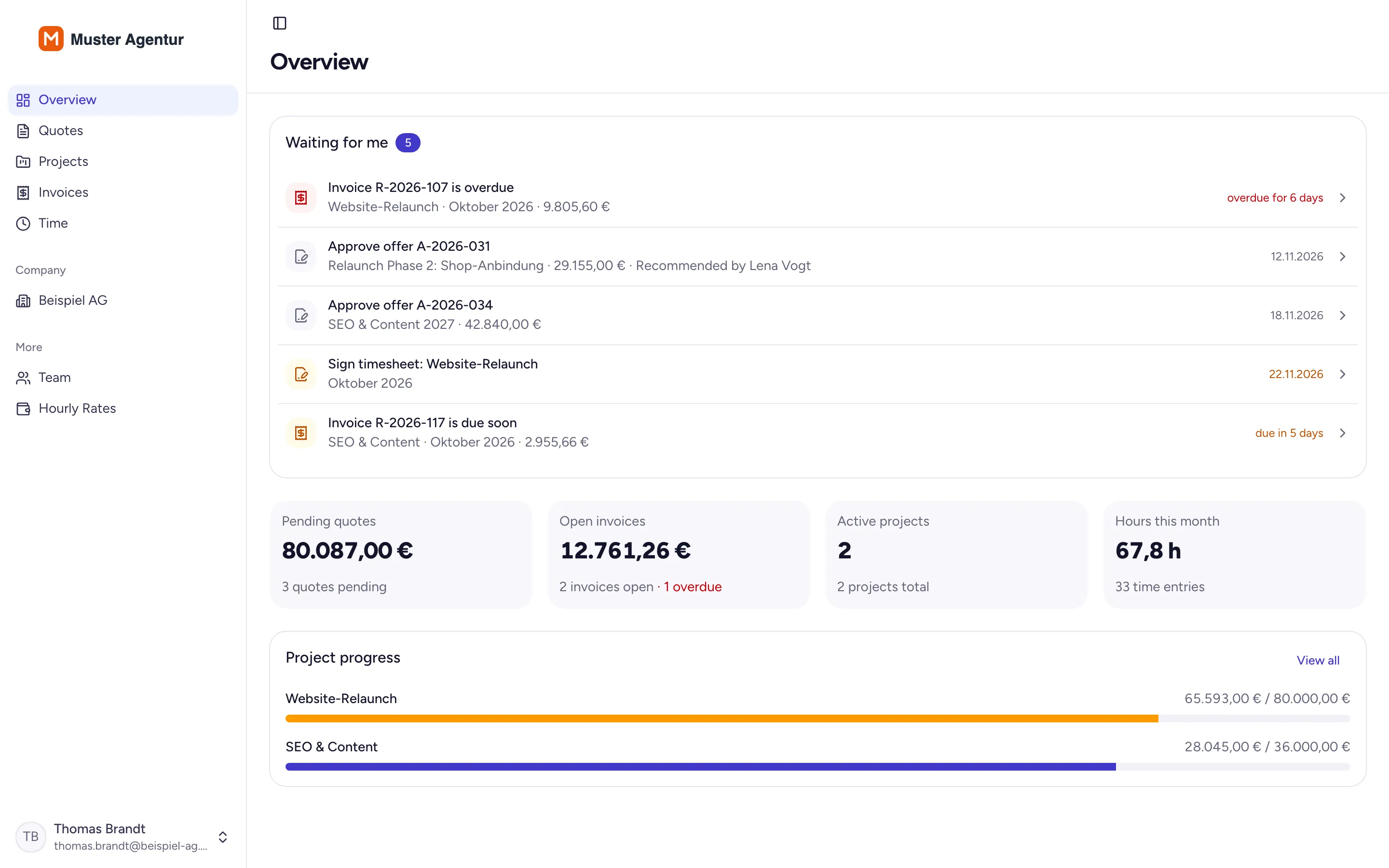
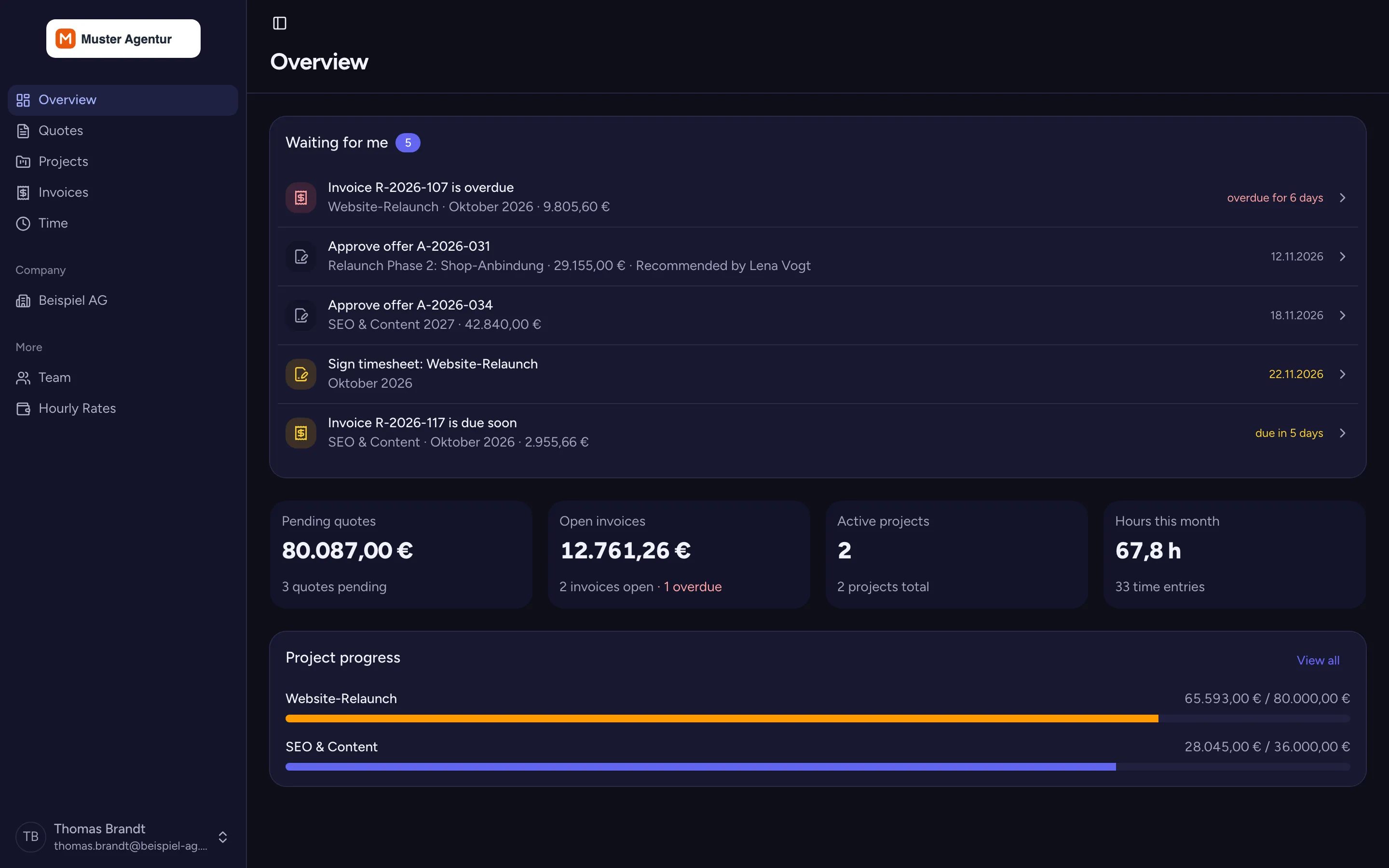
Client view with sample data
Sound familiar?
Fewer questions. More trust.
Every answer costs time: pull an export, find the PDF, write the email. With betta//moco your clients look it up themselves, any time, always up to date.
- “How much budget is actually left?”
- “Could you send me that invoice again?”
- “Who worked on what in October?”
How it works
Up and running in three steps.
No data entry in the portal. Everything your clients see comes straight from MOCO.
Sign up
Create an account with your company name and try all Pro features free for 14 days. Onboarding walks you through the setup.
Connect MOCO
Enter your subdomain and API key. The connection is tested automatically right away.
Invite clients
By email, with a role and company assignment. From then on your clients see their own area.
What your clients see
Everything in one place. No need to ask.
Dashboard
What is waiting for your clients and what is new since their last visit, plus open quotes, invoices and project progress.
Projects with budgets
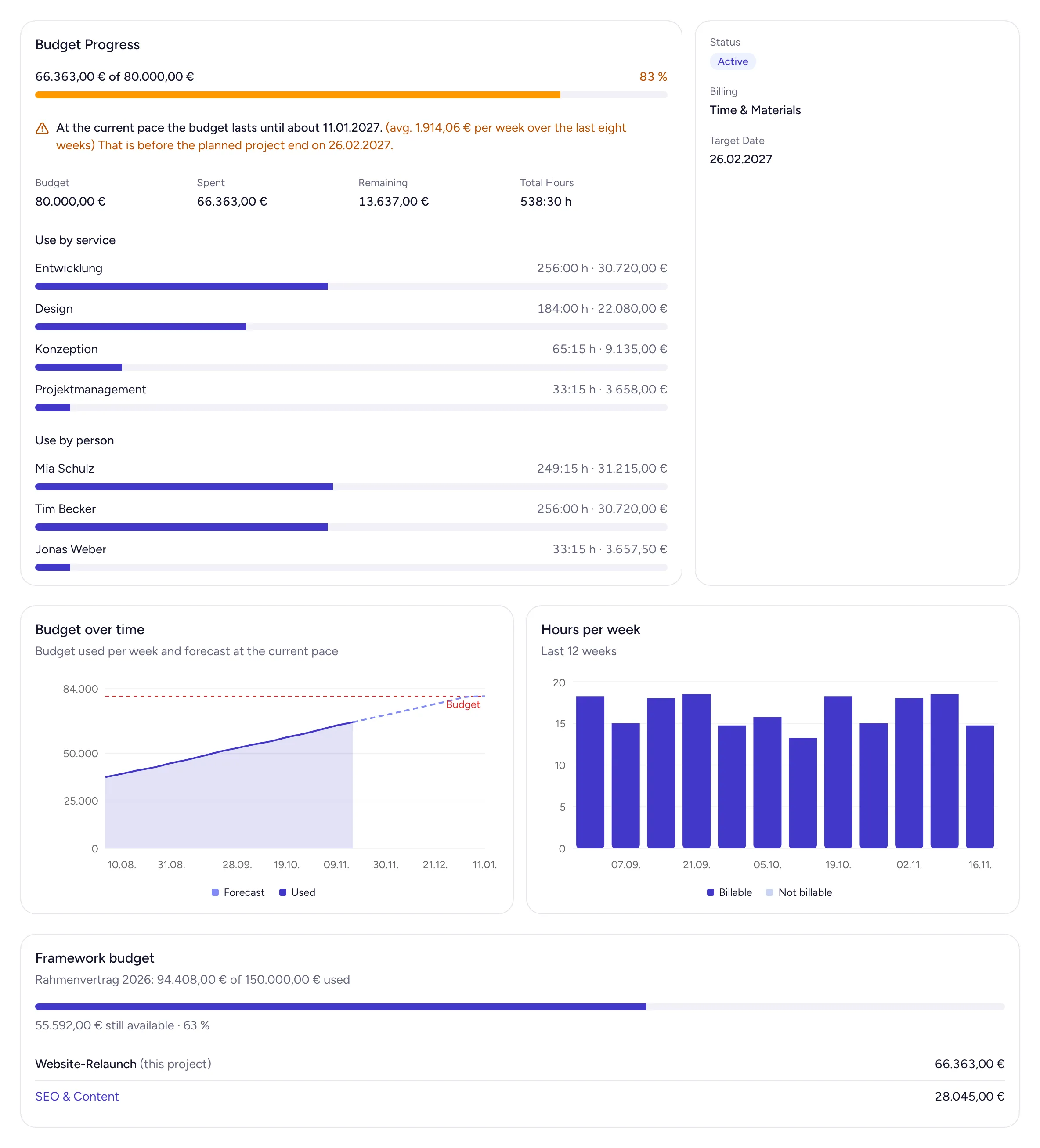
Budget and progress at a glance, hours, a project report by task and charts for budget and hours.
Timesheets
Every time entry with date, team member, project, task, hours and description. Filter by period and year, including past data.
Additional services and subscriptions
Additional services and subscriptions such as hosting, maintenance or licences, with price, annual costs and end of term.
Quotes and invoices
Status, due date and outstanding amount, payment history and reminders, plus the payment schedule with upcoming instalments. Every document as a PDF.
Hourly rates
The agreed hourly rates per service and person, transparent for project leads and procurement.
Export
Invoices and time entries as Excel, all invoice PDFs bundled as a ZIP. Ready for bookkeeping or project controlling.
Team and company details
Contacts with click-to-call and vCard, company details from MOCO. From Pro, clients can keep their billing and contact details up to date themselves if you allow it.
Multiple companies
For groups of companies: see all assigned companies together or switch to one of them.
In the portal
Getting things done, not asking around.
Your clients don’t just look things up, they act: approve, sign off, ask. Every action arrives as a comment in MOCO and as an email to your team.
From Pro
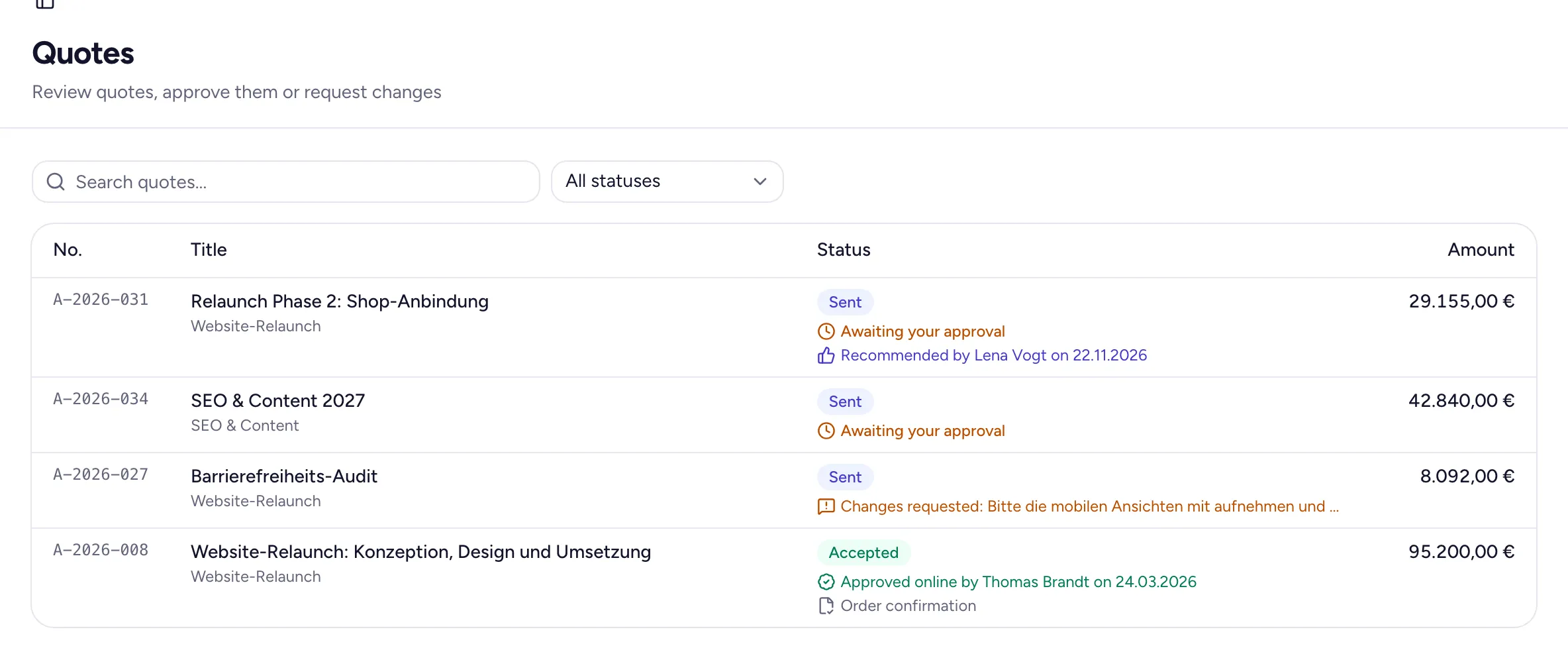
Approve quotes online
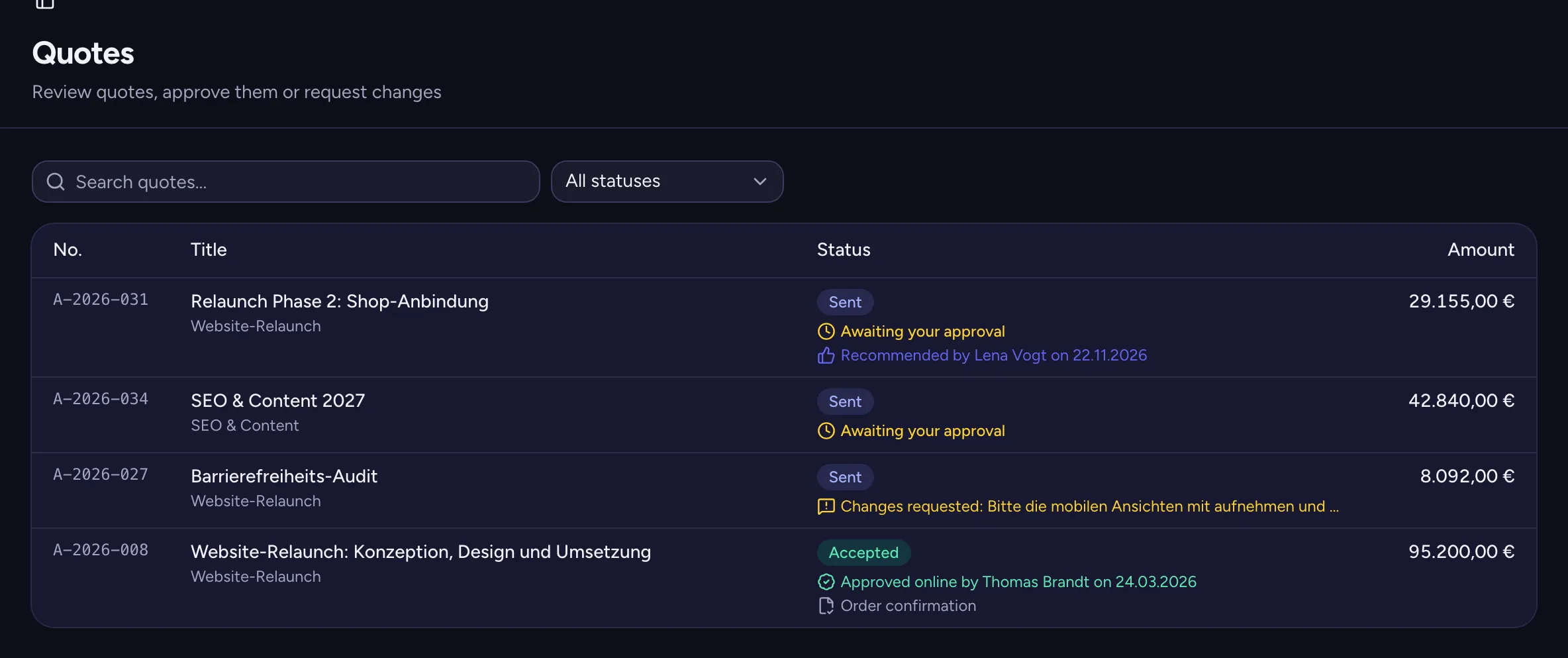
Approvers sign via MOCO’s customer approval, project members recommend beforehand. Above an amount per company a second approval is required. Declining or requesting changes comes with a reason.
From Start
Budget under control
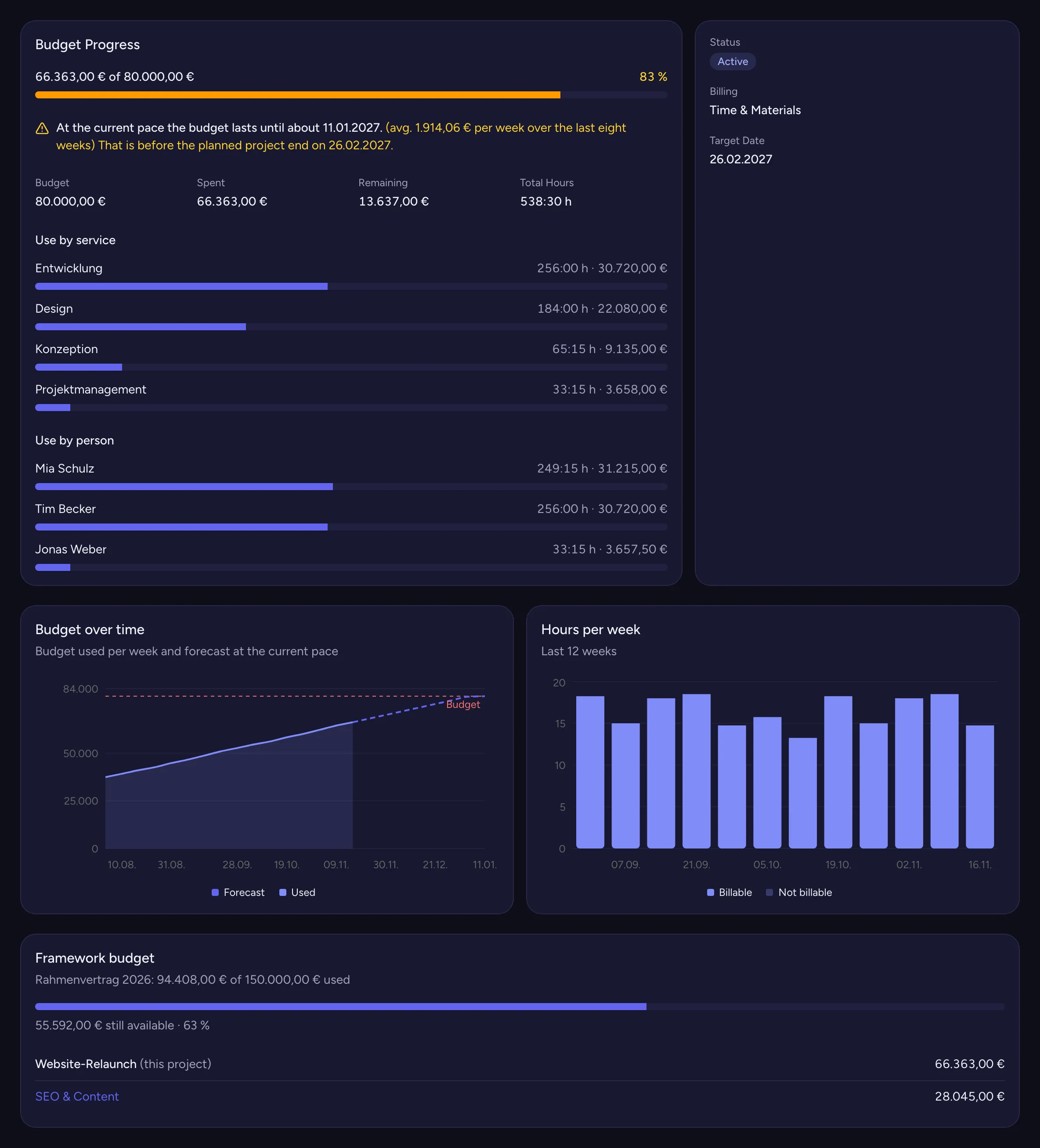
Usage per service and person, budget over time with a forecast and framework budgets across several projects. From Pro, an email goes out at 75 and 90 percent, and clients request a budget increase right on the project.
From Pro
Sign off timesheets
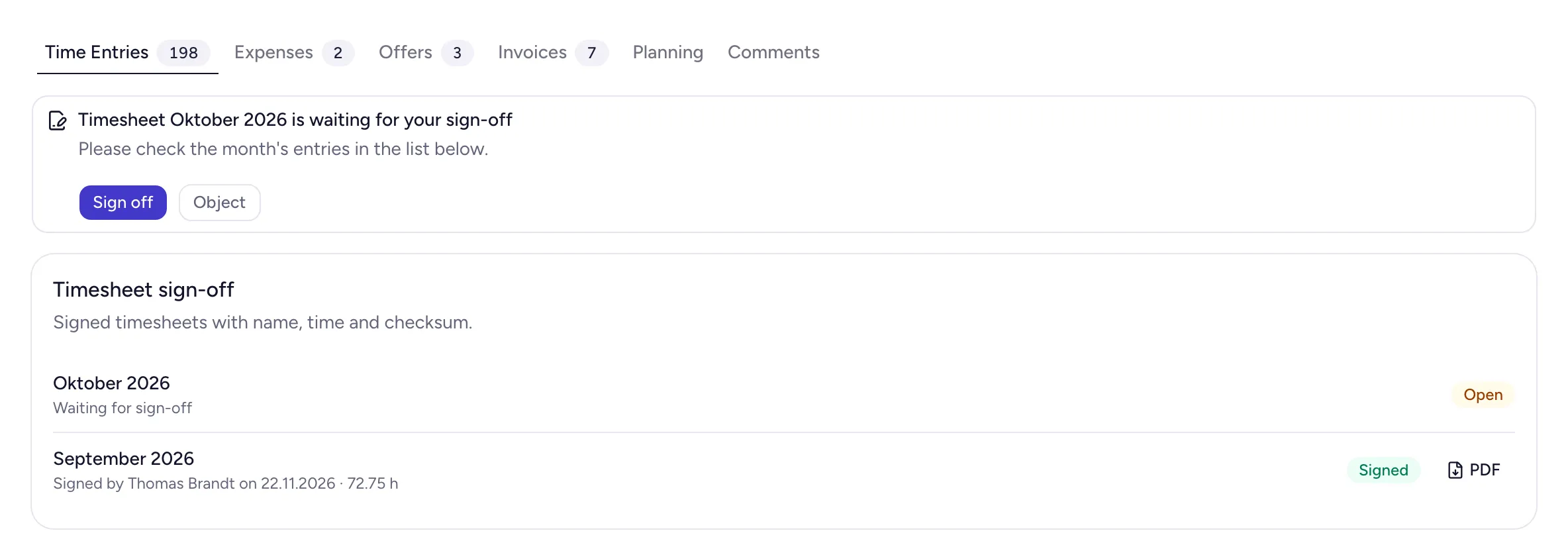
You provide a month, your client signs it off or raises an objection. The PDF contains name, time and a checksum over all entries.
From Pro
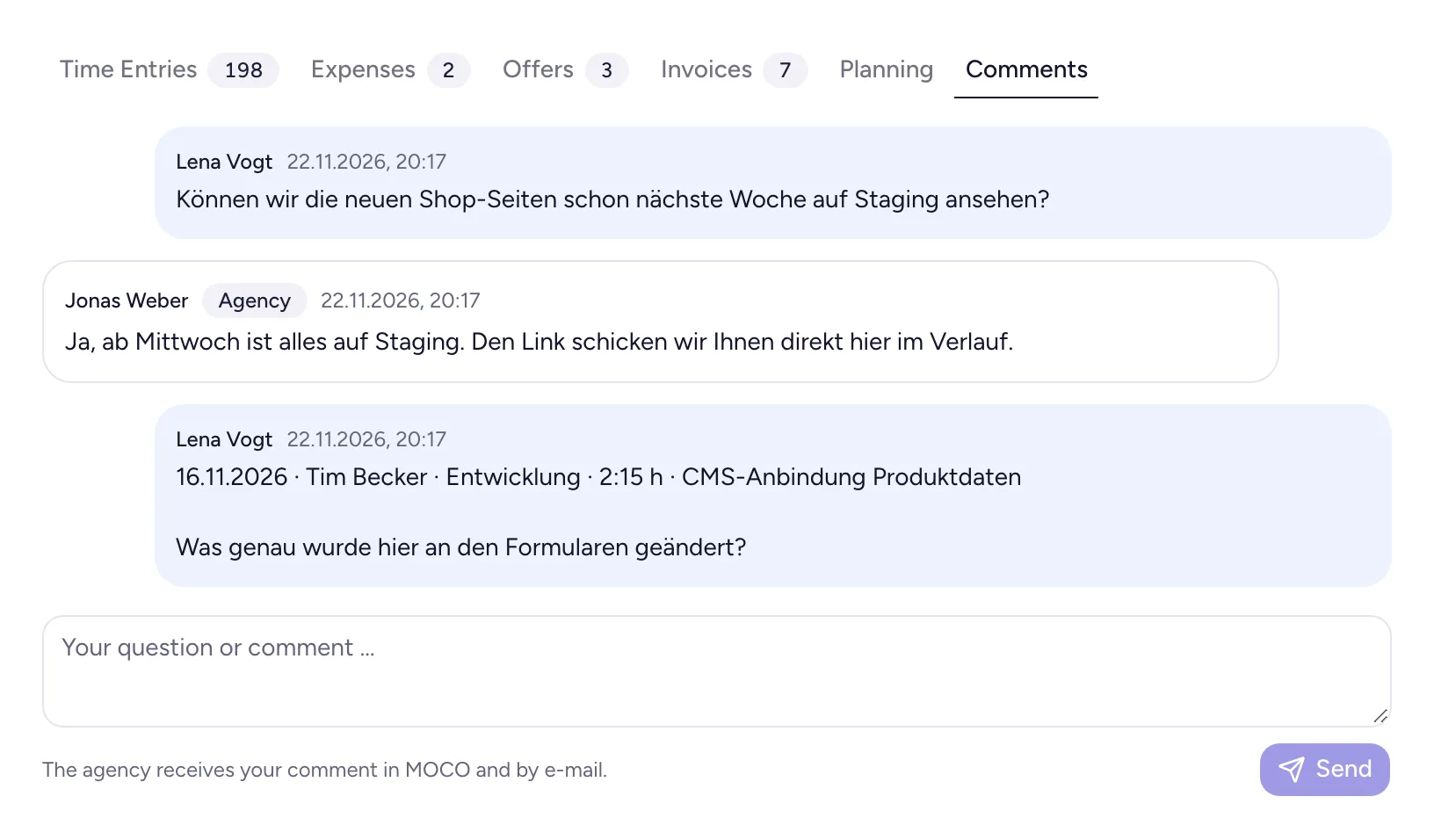
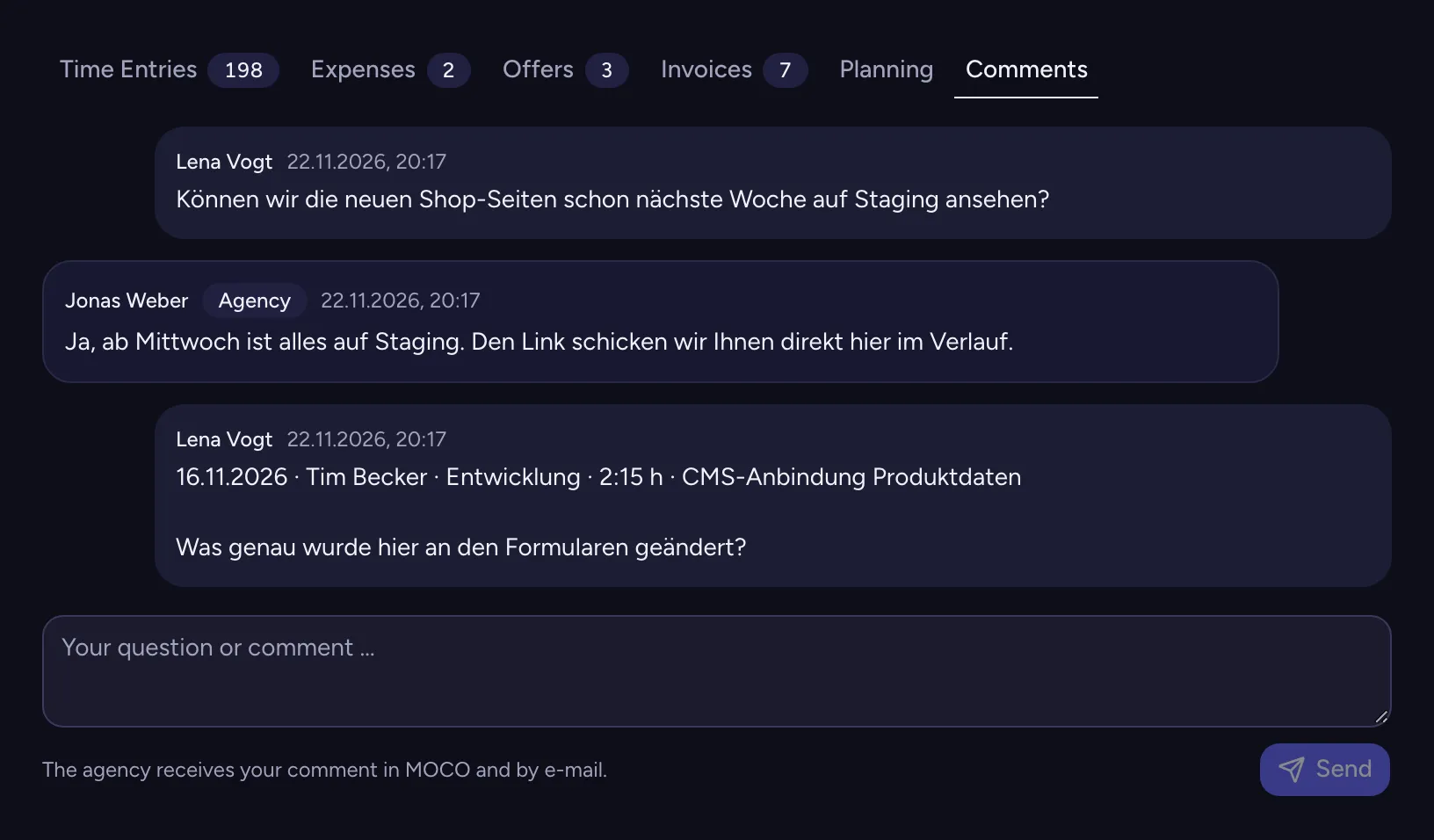
Questions in context
Questions on the project or about a single time entry. Your team replies in the portal and releases comments from MOCO with one click.
From Start
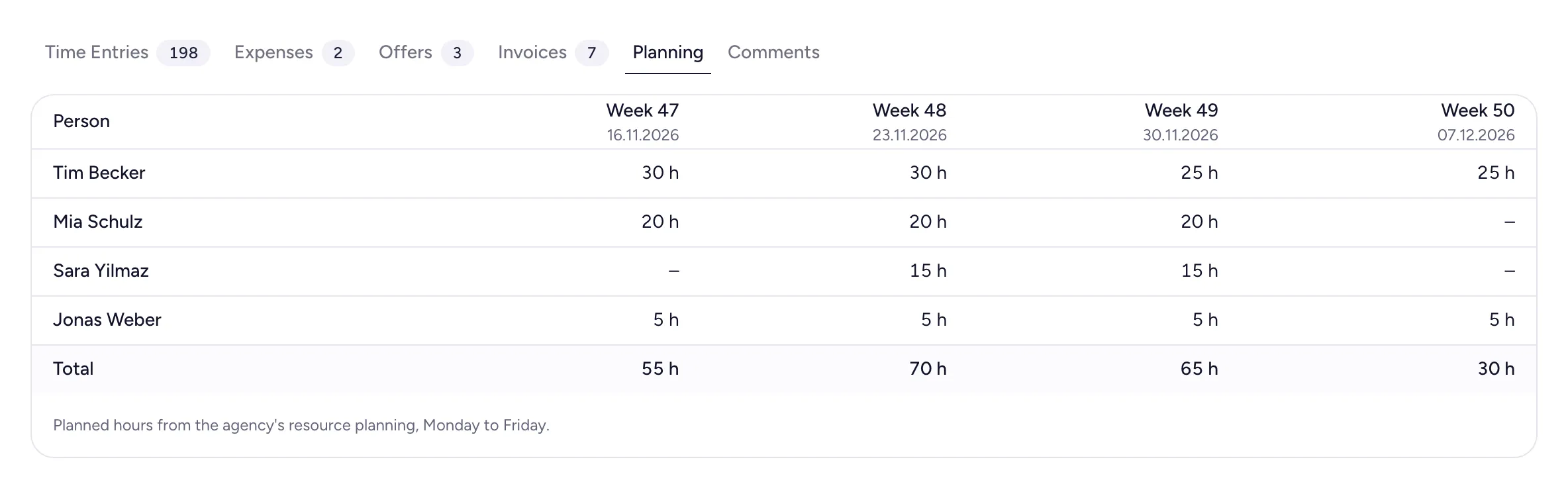
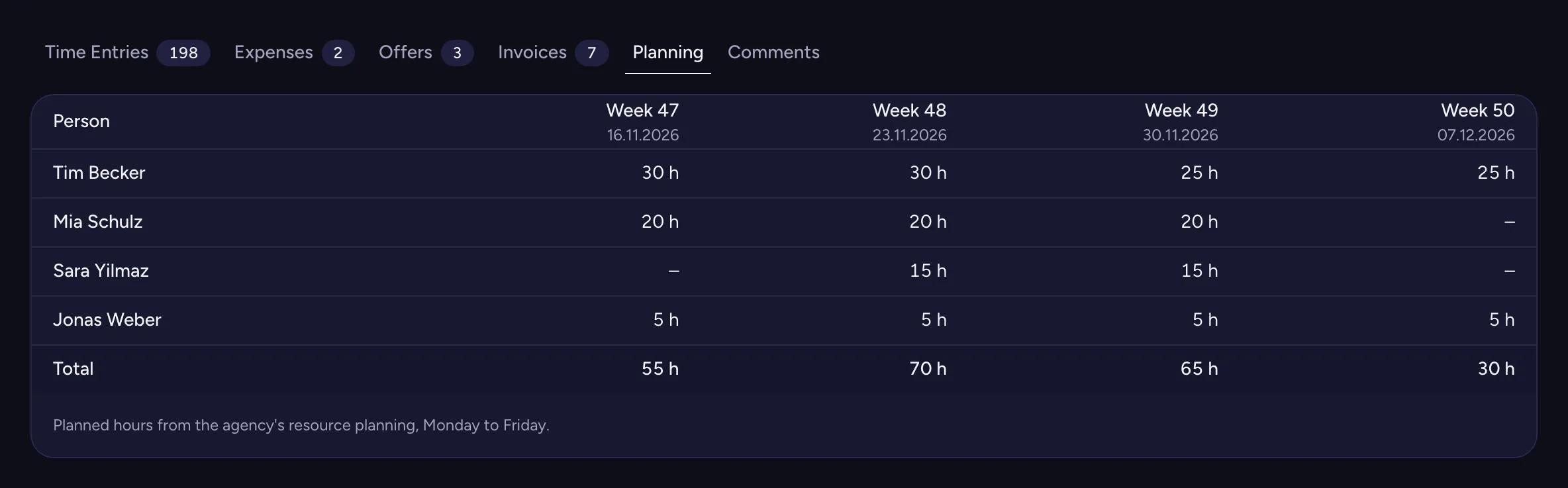
Planning for the coming weeks
Who is scheduled for the project over the next four weeks, straight from your resource planning in MOCO.
From Start
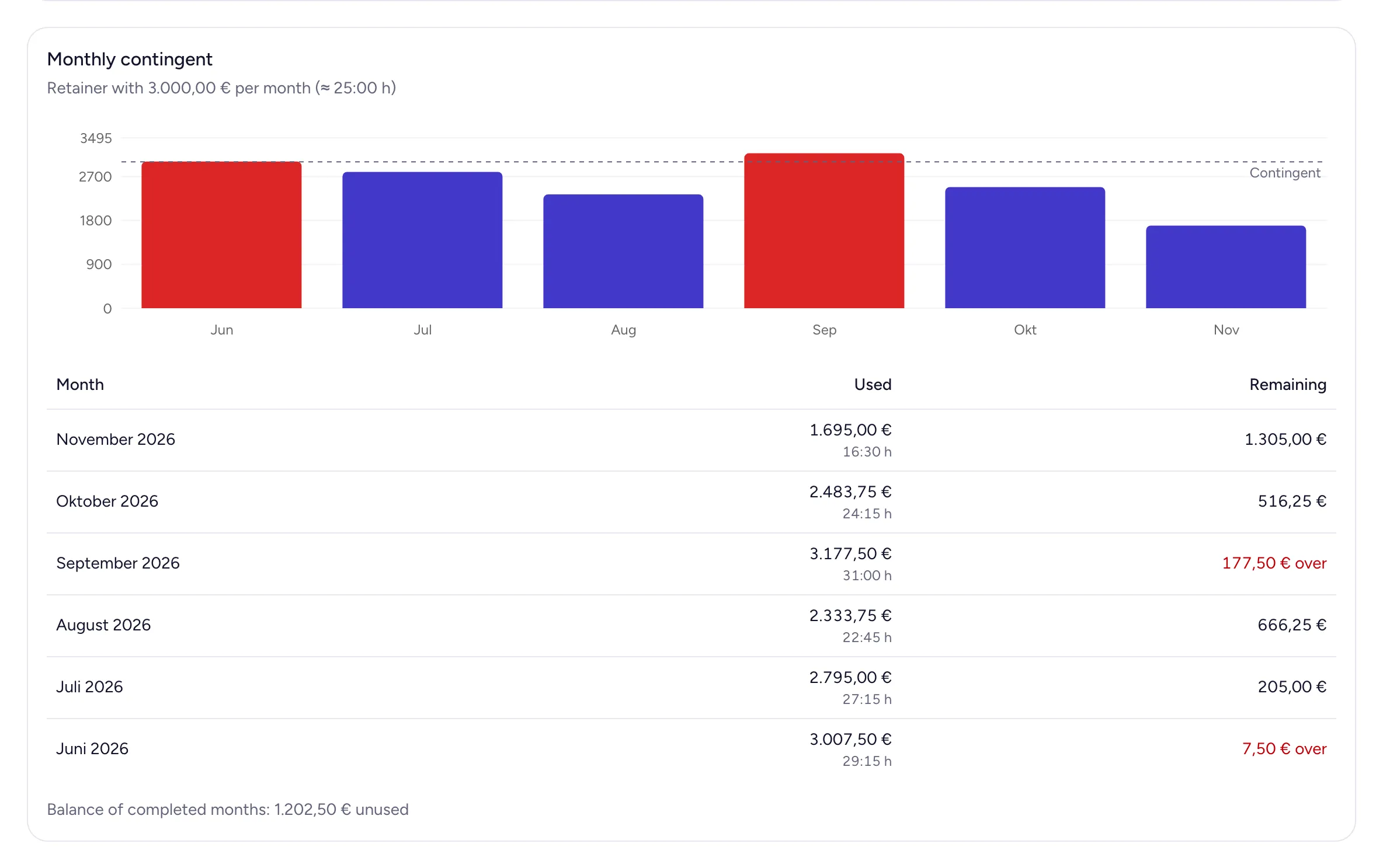
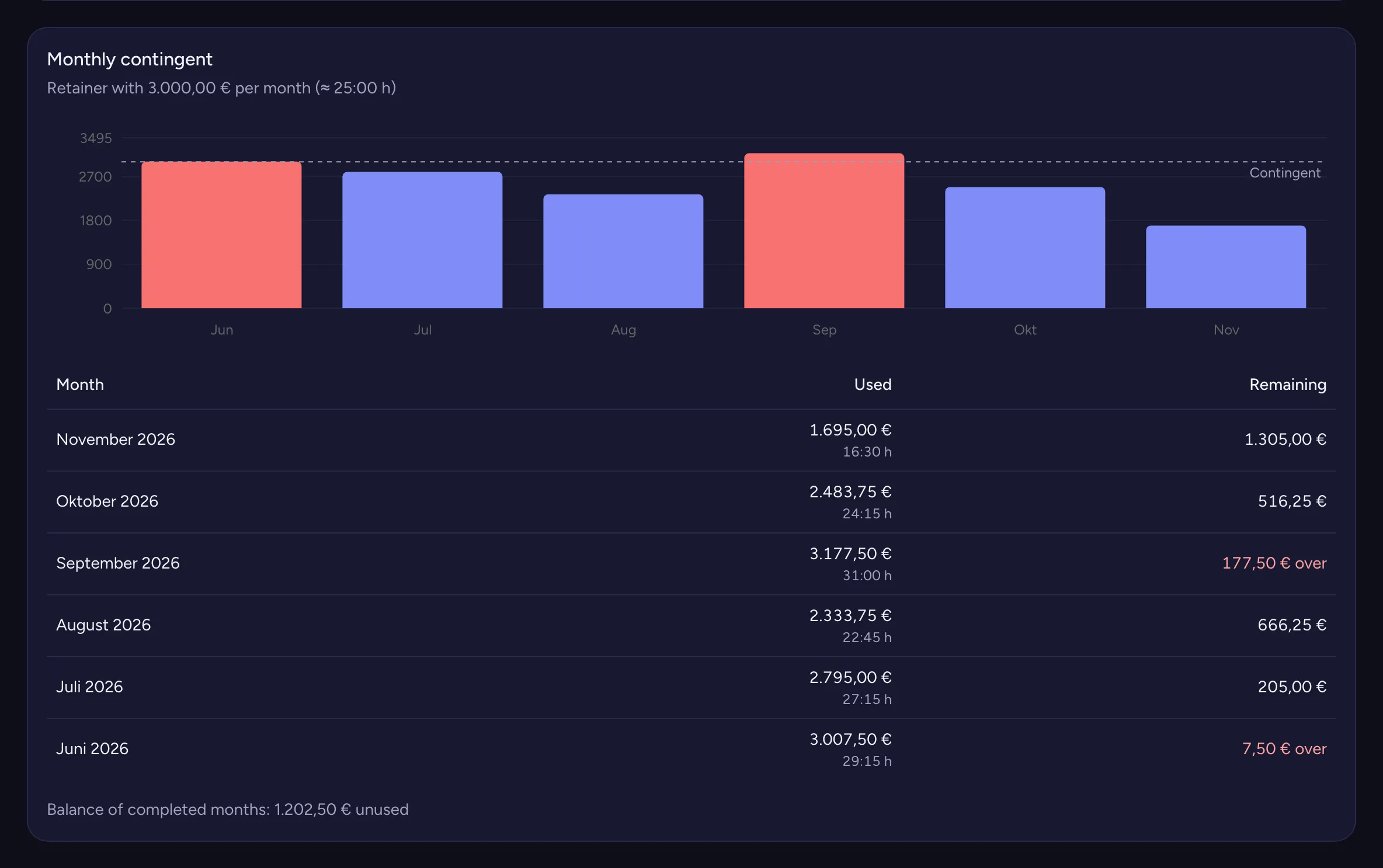
Retainer allowance
The monthly allowance of the last six months with usage, overruns and balance.
For every role on the client side
Everyone finds what they need.
Many people at your clients work with you. betta//moco gives each of them the right view. With the client roles approver, accounting, project member and read-only you decide who can see and do what.
Marketing and project owners
Budget usage with a forecast for every project and an email before the budget runs low. No more spreadsheets before every status meeting.
Management
See what is waiting right after logging in: approve quotes online, sign off timesheets. Done in two minutes.
Accounting and controlling
Payment history, reminders and receipts per invoice, e-invoices in the right format, bulk download as ZIP and Excel. From Pro, payment notices and complaints right in the portal.
Procurement
Agreed hourly rates, quotes and billed services, traceable without having to ask.
Day-to-day contacts
Recommend quotes, ask questions right on the project and see who is scheduled for the coming weeks.
IT and operations
All subscriptions such as hosting, maintenance and licences with annual costs and end of term. From Pro with a reminder before renewal and change requests right in the portal.
Why betta//moco
By MOCO customers, for MOCO customers.
We are a MOCO customer ourselves and work with MOCO every day. We love this ERP system for agencies for its clarity, its efficiency, its clean API and its many integration options.
What we were missing was a place where our own clients could see and approve budgets, services, quotes and invoices themselves. So we built betta//moco out of our own need. Now the portal is available to other agencies too.
- Built by a MOCO customer
- Born from everyday agency work
- Built on the MOCO API
betta//moco is an independent product of alfatier GmbH and not an official MOCO application.
For you as an agency
Looks like your own product.
- Your logo, your favicon. Your clients see your brand, not ours.
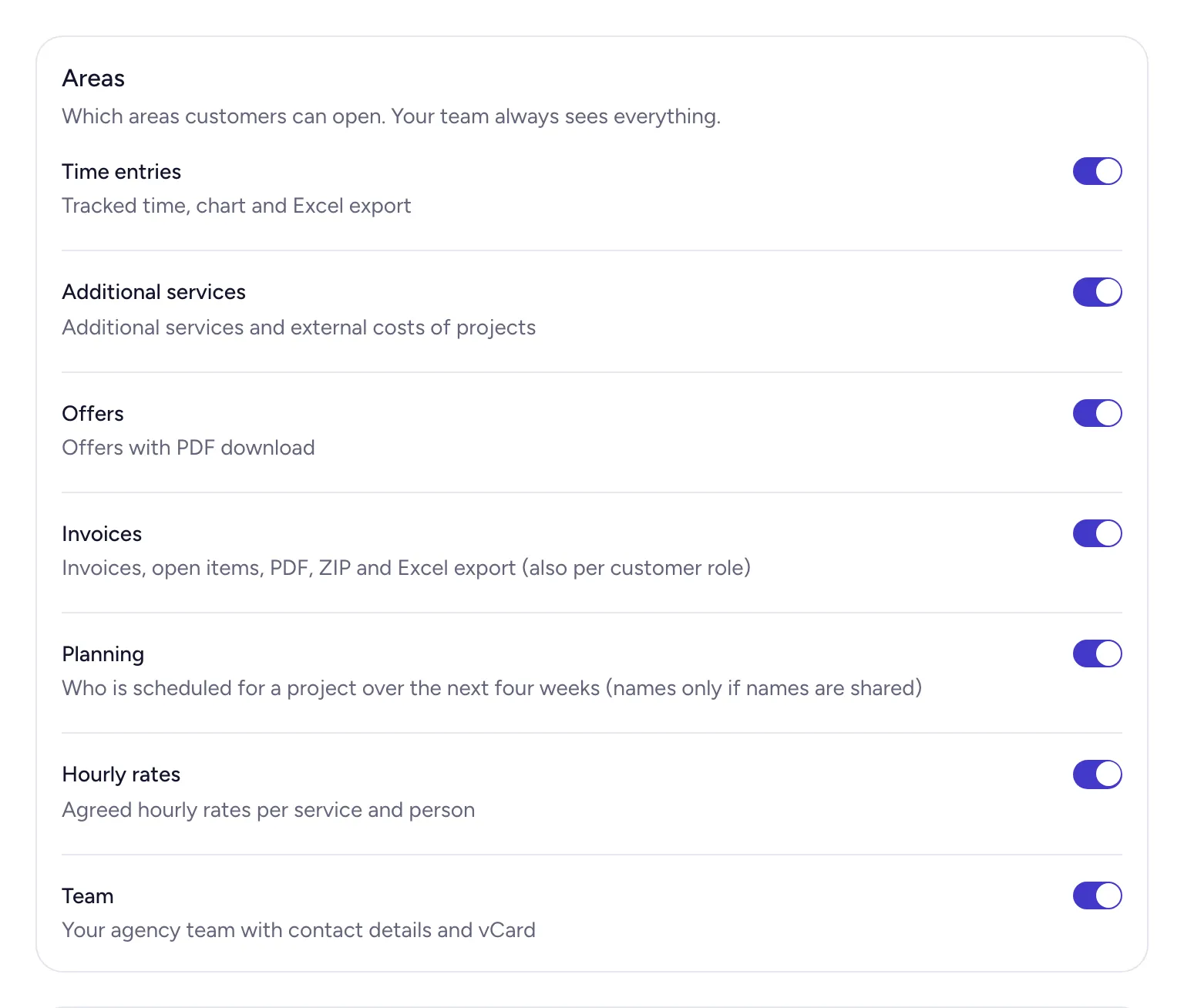
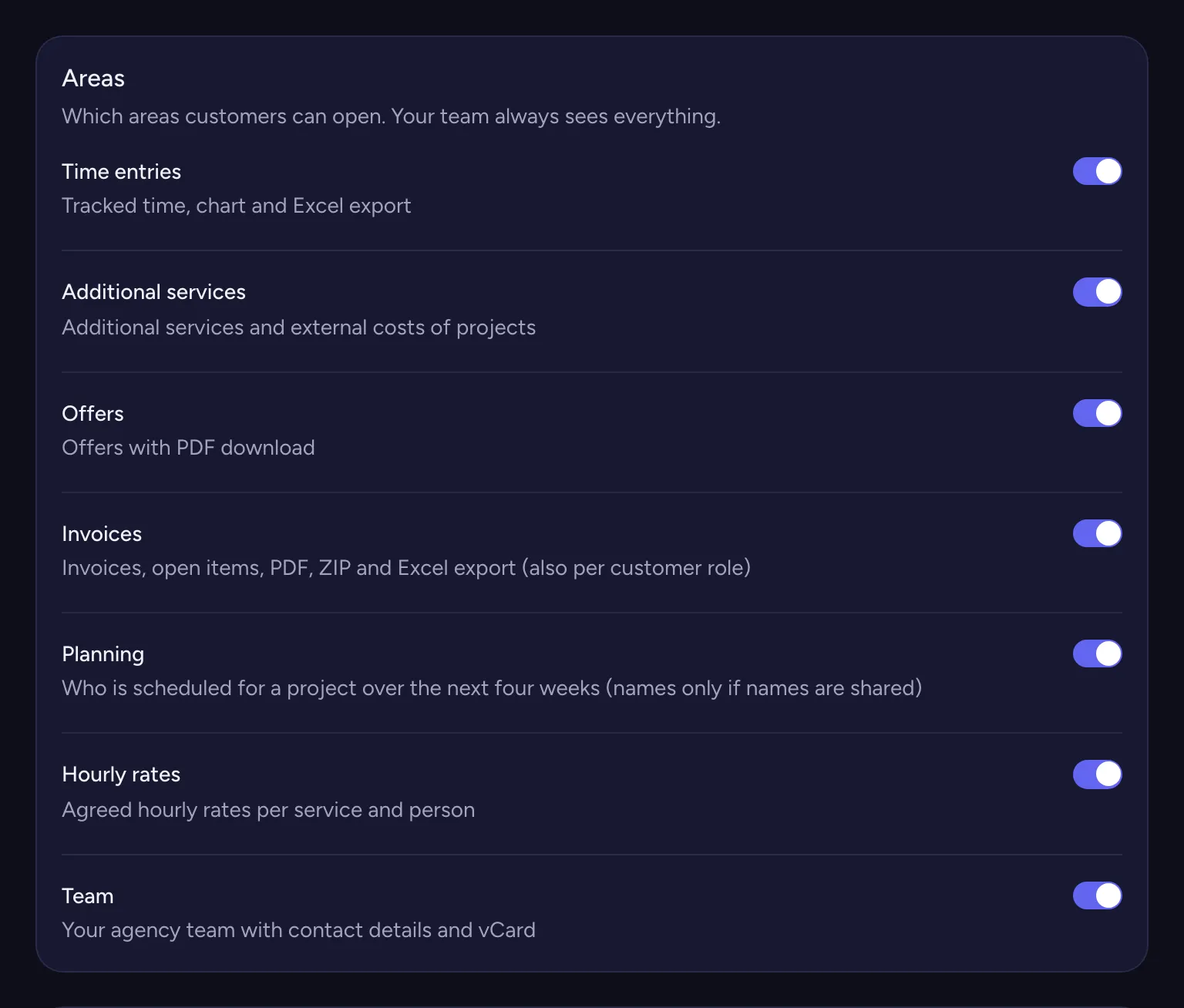
- Visibility in your hands. Switch the sections, details and self-service options your clients see on and off with one click.
- Client roles per company. Approver, accounting, project member or read-only. The role decides who approves and who sees invoices.
- Everything ends up in MOCO. Every client action appears as a comment on the quote, project or company, with name and time. Your team keeps working in MOCO.
- Your team signs in with an email code. Using their existing MOCO account.
International and secure
Five languages. Cleanly separated.
For international clients
The portal speaks German, English, French, Italian and Spanish. Number and date formats can be chosen independently of the language.
- DE
- EN
- FR
- IT
- ES
de-DE · de-AT · de-CH · en-GB · …
Security
- MOCO API keys stored encrypted (AES-256-GCM)
- Each agency in its own, separate tenant
- Log of all approvals and changes, visible to your clients too
- Sign-in with password or email code
What’s next
What comes next.
Approving, signing off, asking questions and resolving invoice questions already work. These are the features we are working on next. They are not available yet.
- In development
Purchase order number and cost centre
Clients maintain purchase order number, cost centre and routing ID themselves, so every invoice carries them.
- In development
One login for several agencies
People who work with several agencies sign in once and switch between them.
- In development
Requests and change orders
Submit new requests with a brief and a target date. They arrive in MOCO as a lead.
- In development
File exchange
Upload briefs, logos and copy to the project and download files from your team.
- In development
Sign in with Microsoft or Google
Single sign-on for your clients, without another password.
- In development
Custom domain
The portal at an address of your agency, for example clients.your-agency.com.
Order and scope may still change.
Pricing
One price per agency. Unlimited client logins.
You pay by the number of active client companies, not per user. Client logins and agency admins are unlimited in every plan. Try Pro free for 14 days.
Start
Your clients see everything live from MOCO.
€49per month
or €41 per month billed yearly (€490 per year)
up to 10 active client companies
Start 14-day free trialIncluded:
- Overview with “Waiting for me”
- Projects and budgets with forecast and charts
- Timesheets, planning and retainer allowance
- Quotes and invoices with payment history and payment schedule
- Subscription overview with annual costs
- Exports as Excel and ZIP
- Hourly rates and team
- Your logo, visibility settings and client roles
Recommended
Pro
Your clients approve, sign off and ask questions.
€149per month
or €124 per month billed yearly (€1,490 per year)
up to 40 active client companies
Start 14-day free trialEverything in Start, plus:
- Approve quotes online, decline or request changes
- Approval workflow with second approval
- Questions and comments on projects
- Sign off timesheets
- Resolve invoice questions: payment notices, complaints, reminder objections
- Choose the e-invoice format (PDF or ZUGFeRD)
- Request subscription changes or cancellations
- Budget alerts and budget increase requests
- Email notifications, including before subscription renewals
- Client activity log
- Self-service for billing and contact details
- Purchase order number and cost centre (coming soon)
- Custom domain (coming soon)
Business
For agencies with many clients.
€349per month
or €291 per month billed yearly (€3,490 per year)
up to 120 active client companies
Start 14-day free trialEverything in Pro, plus:
- Priority support
- Sign in with Microsoft or Google (coming soon)
- Reports across several companies (coming soon)
- Scheduled reports by email (coming soon)
- AI features (coming soon)
Enterprise
For agency groups and special requirements.
Custom
Terms by agreement
Client companies by agreement
Contact us about EnterpriseEverything in Business, plus:
- Number of client companies by agreement
- Individual terms
In every plan
- Unlimited client logins and agency admins
- Your logo and favicon
- Portal in five languages
- Existing logins are never blocked
All prices plus VAT. Monthly plan: cancel monthly. Yearly plan: minimum term of one year, cancellable until the renewal date.
Active client company: a company from MOCO with at least one contact who has an active portal login. Your own team does not count.
FAQ
Frequently asked questions
Do I need MOCO?
Yes. betta//moco builds on your MOCO account and shows the data that is already there. All you need is an API key from MOCO.
Does every client need a MOCO licence?
No. Your clients sign in to the portal, not to MOCO. You don’t need any additional MOCO users for them.
Do we have to maintain data twice?
No. Projects, time entries, quotes and invoices come straight from MOCO. In the portal you only manage who can see what.
Can clients change anything in MOCO?
In the Start plan your clients only read. From Pro they approve, sign off, ask questions, request budget increases and keep their billing and contact details up to date, if you allow it. Everything arrives as a comment on the respective item in MOCO; a budget only changes once you agree.
Can clients accept quotes or pay invoices?
Quotes yes, from Pro: clients with the approver role sign online via MOCO’s customer approval, optionally with a second approval above a set amount. Payment works as before.
What counts as an active client company?
A company from MOCO with at least one contact who has an active portal login. It doesn’t matter how many contacts of that company use the portal. Your own team doesn’t count, and pending invitations only count once accepted.
What happens when I reach the limit?
From 90 percent you see a notice. At the limit you can’t unlock another client company, but you can always invite more contacts at existing companies. Existing logins are never blocked, not even after moving to a smaller plan.
How does the free trial work?
For 14 days you use all features of the Pro plan free of charge. After that you choose the plan that fits your agency.
How long is the contract?
The monthly plan can be cancelled monthly. The yearly plan runs for at least one year and can be cancelled until the renewal date. Billed yearly, you pay ten monthly prices for twelve months.
Does betta//moco replace our project management tool?
No. betta//moco is not a project management or ticketing system, and clients don’t log time in it. It shows your clients what is in MOCO.
Show your clients what you’re working on.
Connect MOCO, invite your clients, done. The portal answers the rest.